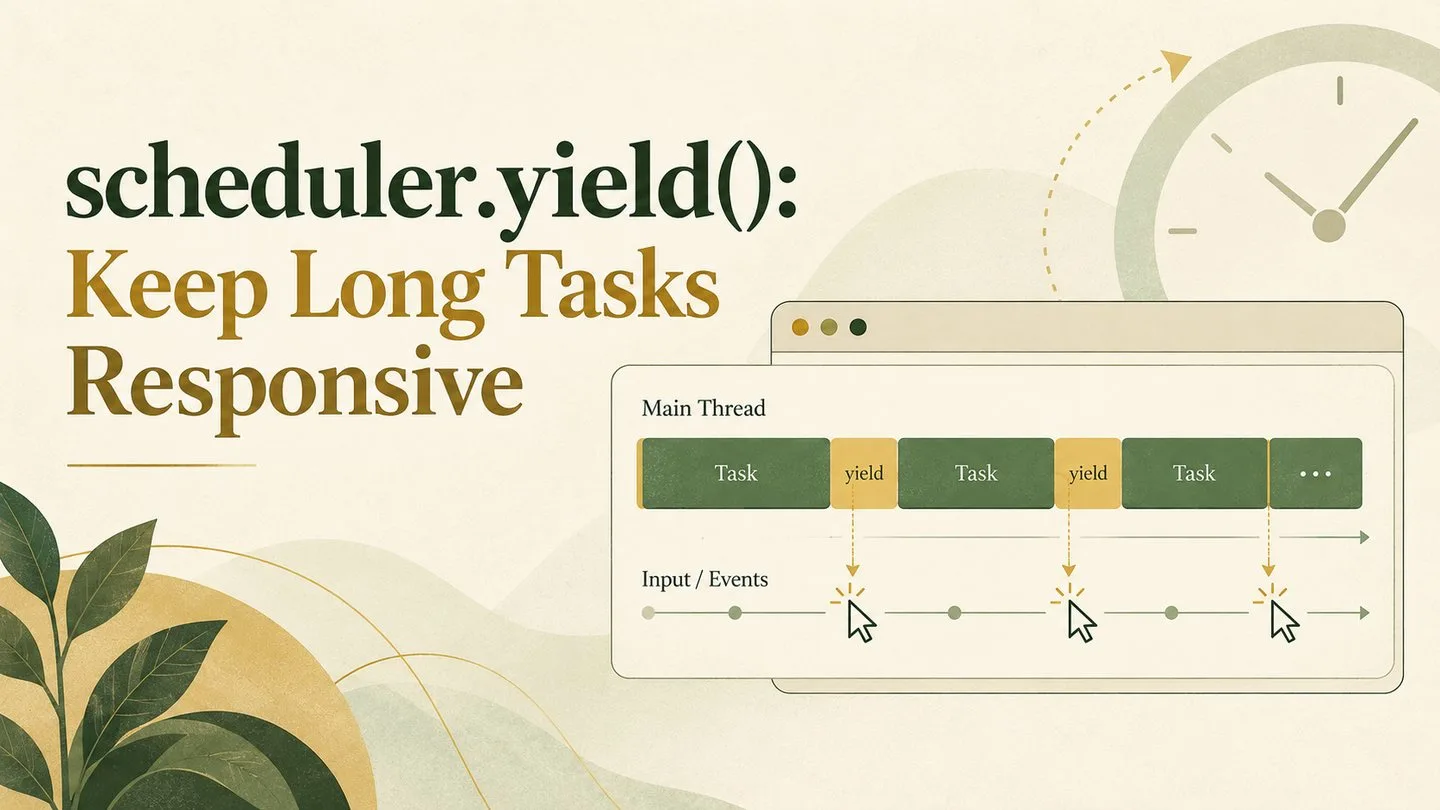
JavaScript runs to completion on the browser's main thread. When one task performs too much work without pausing, clicks wait, typing feels delayed, and visual updates cannot appear on time. Developers have long worked around this by splitting work with setTimeout(), MessageChannel, or framework-specific schedulers. The scheduler.yield() API gives modern web applications a clearer way to pause a long task, let the browser handle urgent work, and then continue.
Why long tasks hurt responsiveness
The main thread coordinates JavaScript, style calculation, layout, painting, and many input events. A single task that monopolizes it for hundreds of milliseconds blocks everything queued behind it. Even if the computation is useful—rendering a large list, parsing data, or initializing a complex interface—the user experiences the delay as a frozen page.
Breaking work into smaller chunks helps because the browser gains scheduling opportunities between those chunks. Input can be processed, frames can render, and higher-priority work can move ahead. The challenge is choosing a yielding mechanism that is easy to read and does not send the continuation to the very back of a busy queue.
What scheduler.yield() does
scheduler.yield() returns a promise. Awaiting it ends the current task and schedules the rest of the async function as a continuation in a new browser task. That creates a point where the user agent can run more urgent work before resuming your code.
async function processItems(items) {
  for (let index = 0; index < items.length; index++) {
    updateItem(items[index]);

    if (index % 50 === 0) {
      await scheduler.yield();
    }
  }
}
The WICG yield-and-continuation explainer describes the design goal: allow higher-priority work, including input, to run while giving the continuation more favorable treatment than common timer-based techniques.
Why it can be better than setTimeout()
A zero-delay timer also creates a new task, but it has no special relationship to the work that scheduled it. When many scripts compete for the main thread, arbitrary tasks may run before your continuation. That can make a carefully chunked operation take much longer from start to finish.
scheduler.yield() communicates that the code is a continuation of work already in progress. The browser still retains scheduling flexibility, but the continuation can receive preferential ordering relative to ordinary tasks at the same priority. Chrome's official guide to using scheduler.yield() to break up long tasks explains this continuation behavior and shows practical patterns.
Yield by time, not only by item count
Yielding every fixed number of items is simple, but items may vary dramatically in cost. A time budget is often more reliable. The following pattern checks elapsed time and yields after a small slice of work:
async function renderResults(results) {
  let sliceStart = performance.now();

  for (const result of results) {
    renderResult(result);

    if (performance.now() - sliceStart > 8) {
      await scheduler.yield();
      sliceStart = performance.now();
    }
  }
}
An eight-millisecond budget is not a universal rule. Measure the real workload, device range, and interaction goals. The aim is to prevent lengthy uninterrupted execution, not to maximize the number of yields. Each yield has overhead, so extremely tiny chunks can make total completion slower.
Feature detection and a practical fallback
Support should be treated as progressive enhancement. Check for the method and fall back to a task-based pause when necessary:
function yieldToMain() {
  if (globalThis.scheduler?.yield) {
    return scheduler.yield();
  }

  return new Promise(resolve => setTimeout(resolve, 0));
}
Then call await yieldToMain() inside long async loops. The fallback does not reproduce continuation prioritization, but it preserves the essential behavior: returning control to the event loop. Avoid adding a polyfill that claims identical scheduling semantics when the platform cannot provide them.
Where yielding helps most
- Rendering or hydrating a large collection in batches.
- Processing search results or client-side datasets.
- Running syntax highlighting across many code blocks.
- Preparing charts, editors, or complex interface state.
- Performing non-urgent setup after the essential UI is ready.
Yielding does not make expensive work free. If computation can move to a Web Worker, that may be a stronger architectural choice because it removes the work from the main thread. Use yielding when the work must touch the DOM, must remain on the main thread, or benefits from incremental delivery.
Measure before and after
Use DevTools performance recordings to find long tasks and confirm that chunking improves responsiveness. Noorani's guide to the Long Animation Frames API explains how to investigate slow rendering frames. The Element Timing API can help track when important visual content appears, while the Page Lifecycle API helps applications pause or reconsider work when a tab is hidden or frozen.
Watch both interaction latency and total task completion time. A change that makes input responsive but causes background processing to stretch indefinitely may need larger chunks, fewer yield points, or a different priority strategy.
Common mistakes to avoid
- Yielding after the expensive work instead of between meaningful chunks.
- Calling
scheduler.yield()in a tight loop that performs almost no work. - Assuming every environment supports the API without feature detection.
- Using main-thread yielding for CPU-heavy work that belongs in a worker.
- Ignoring cancellation when results become irrelevant after navigation or new input.
A cooperative main thread
scheduler.yield() encourages a cooperative model: applications perform useful work, pause at deliberate boundaries, and let the browser protect responsiveness. The API is small, but it expresses intent better than a timer hack. With realistic chunk sizes, progressive enhancement, and performance measurement, it can turn long operations from noticeable freezes into work that progresses quietly while the interface stays ready for the user.
Browse with calm, clarity, and purpose
Download Noorani Browser for a focused browsing experience with thoughtful privacy tools and useful everyday features.