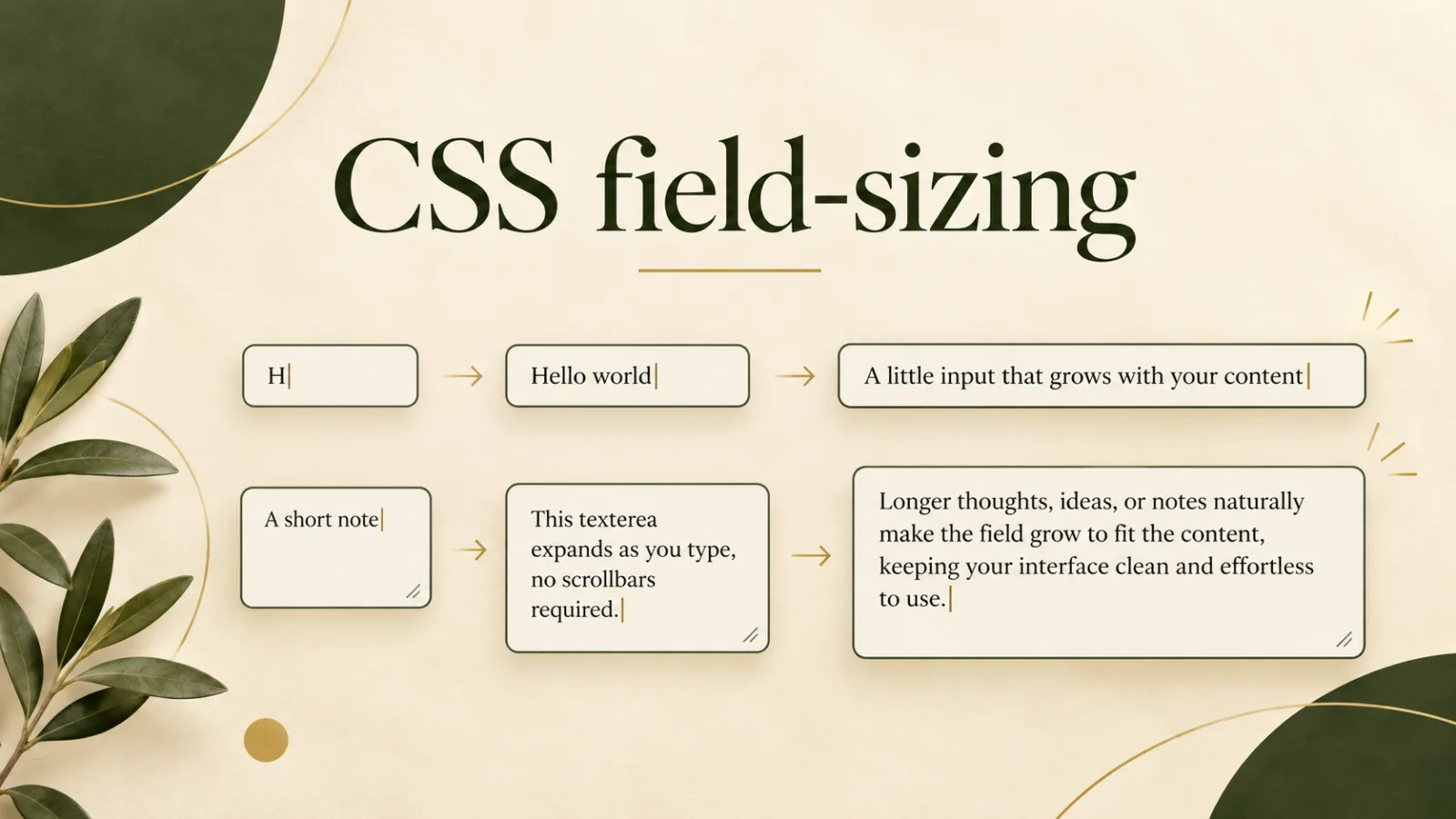
Form controls are small pieces of interface, but they shape how a page feels. A fixed-width input may look tidy when it is empty, then become awkward as a person types a longer name, search phrase, or code. A textarea can start at the right height yet force users to manage an inner scrollbar after only a few lines. The CSS field-sizing property offers a cleaner option: let supported form controls size themselves from their content.
For designers and developers, this is a useful progressive enhancement. It can reduce JavaScript, simplify maintenance, and help an interface respond naturally to real text rather than guessed placeholder lengths. This guide explains how field-sizing: content works, where it helps, and how to use it without sacrificing accessibility or layout stability.
What field-sizing changes
Most form controls use an intrinsic size determined by browser defaults, HTML attributes, and CSS dimensions. Setting field-sizing: content tells a compatible browser to derive the control's preferred size from its current content. On a single-line input, the inline dimension can grow or shrink with the value. On a textarea, the block dimension can expand as lines are added.
input.search,
textarea.note {
  field-sizing: content;
}
The default value is fixed, which preserves familiar behavior. The property does not remove the need for normal sizing rules. Instead, it changes the starting calculation, while min-width, max-width, min-height, and max-height still provide essential guardrails.
A practical single-line input pattern
An auto-growing search field can work well inside a toolbar, filter row, or compact command interface. Give it a comfortable minimum so the empty state remains obvious, and a maximum so long content cannot push neighboring controls off screen.
.search-field {
  field-sizing: content;
  min-width: 12rem;
  max-width: min(32rem, 100%);
  padding: .7rem .9rem;
}
This pattern is especially useful inside reusable components. Pair it with CSS container queries when the surrounding component, rather than the entire viewport, should determine the maximum space available.
An auto-growing textarea without scripting
Growing textareas are the clearest everyday use case. Previously, teams often measured scrollHeight in JavaScript, reset the element height on every input event, and handled edge cases around fonts, borders, and pasted text. With field-sizing, the browser can perform the sizing directly.
.message-box {
  field-sizing: content;
  min-height: 5lh;
  max-height: 16rem;
  overflow-y: auto;
  resize: vertical;
}
The minimum keeps the field inviting before anyone types. The maximum prevents a long response from taking over the page. Once that limit is reached, overflow-y: auto restores scrolling. Keeping resize: vertical also preserves user control, which is valuable for people who prefer more space.
Use guardrails for calm layouts
Content-sized controls are responsive to text, but unconstrained growth can create surprising movement. A pasted URL, an unbroken identifier, or a very long paragraph may be much larger than expected. Always test extreme values, narrow containers, zoomed pages, and translated labels.
- Set a minimum dimension for an understandable empty state.
- Set a maximum dimension to protect the surrounding layout.
- Allow scrolling after the maximum is reached.
- Test long unbroken strings as well as normal prose.
- Keep labels visible; do not rely on placeholders as labels.
If a control appears in an overlay or animated panel, coordinate its changing dimensions with the techniques in CSS @starting-style entry animations. Motion should clarify the change, not make typing feel unstable.
Accessibility still depends on good form design
Automatic sizing does not replace a programmatic label, clear instructions, error messages, or keyboard testing. The control remains a standard input or textarea, which is a major advantage, but visual growth can affect people using high zoom or reflow layouts. Make sure nearby content is not covered and that focus remains visible at every size.
Do not use a shrinking field to hide the value or make editing difficult. A reasonable minimum width is more important than achieving the smallest possible component. If a temporarily unavailable region contains fields, the HTML inert attribute can help prevent accidental focus, but it should be applied to the region rather than used as a substitute for disabled-state communication.
Progressive enhancement and browser support
Because support evolves, treat field-sizing as an enhancement and keep the fallback usable. Browsers that do not recognize the declaration ignore it and retain fixed sizing. You can isolate refinements with a feature query:
@supports (field-sizing: content) {
  .adaptive-field {
    field-sizing: content;
  }
}
Start with dependable width and height rules outside the query. Then add content sizing and any related adjustments inside it. This approach avoids user-agent detection and follows the web platform's strengths.
When not to use it
A stable fixed field may still be better in dense data tables, aligned financial forms, or interfaces where movement would make values harder to compare. Password fields and highly sensitive entries can also benefit from predictable dimensions. Choose the property because content-driven sizing improves the task, not simply because it is new.
Standards and reference material
The behavior is defined in the CSS Basic User Interface Level 4 specification. For syntax, examples, and current compatibility information, consult the MDN field-sizing reference. Check support for your audience and test with real assistive technology where the form is important.
A small property with a useful purpose
field-sizing: content makes form controls feel more connected to what people actually type. Used with sensible limits, it can remove brittle resize scripts while keeping interfaces flexible and readable. The best implementation remains intentionally simple: semantic HTML, visible labels, strong minimums and maximums, and a fixed-size fallback that works everywhere.
Browse with calm, clarity, and purpose
Download Noorani Browser for a focused browsing experience with thoughtful privacy tools and useful everyday features.